MQTT Learning & Packaging Automation Concepts
Personal notes around MQTT messaging, topic design, payload structure, QoS modes, development tools, and generalized automation event workflows.
Related categories
MQTT Learning & Packaging Automation Concepts
This project area collects personal notes around MQTT and how lightweight publish/subscribe messaging can be used in generalized automation environments.
The focus is conceptual and practical: understanding how devices, services, dashboards, event detectors, and automation logic can exchange small messages through a broker without tightly coupling every system together. Packaging-related scenarios stay broad enough to be reusable across many automation contexts.
Why MQTT Is Useful
MQTT is a lightweight messaging protocol built around a broker. A device or application publishes a message to a topic, and any subscribed client can receive matching messages.
In generalized automation and packaging-adjacent development, this pattern is useful for:
- machine or cell status messages
- counters and simple production signals
- sensor events
- alarm or fault notifications
- dashboard updates
- development messages between simulated devices
- connecting camera/event systems to automation logic
- experimenting with loosely coupled services
The important idea is that publishers do not need to know exactly who is listening. They send messages to the broker, and subscribers decide what topics they care about.
Topic Structure
MQTT topics are text paths separated by forward slashes. A topic should be predictable, readable, and specific enough to avoid confusion.
Example generalized topic:
lab/packaging/cell-01/statusPossible topic patterns:
lab/packaging/cell-01/status
lab/packaging/cell-01/counts/good
lab/packaging/cell-01/counts/reject
lab/packaging/cell-01/alarms/current
lab/vision/camera-01/events/object-detected
lab/frigate/front-driveway/person
Wildcards can help subscribers listen to groups of topics:
lab/packaging/+/status
lab/packaging/#
The + wildcard matches one topic level. The # wildcard matches multiple remaining levels.
Payload Structure
The payload is the message body. It can be plain text, a number, JSON, or another agreed format.
A simple status payload might be:
{
  "state": "running",
  "mode": "automatic",
  "timestamp": "2026-05-24T11:30:00Z"
}
A generalized counter payload might be:
{
  "good_count": 128,
  "reject_count": 3,
  "measurement_window": "rolling-window"
}
A vision event payload might be:
{
  "camera": "camera-01",
  "event": "object_detected",
  "label": "person",
  "confidence": 0.87
}
For personal development, JSON is convenient because it is readable in tools and easy to inspect while learning.
QoS Modes
MQTT supports Quality of Service modes that control delivery behavior.
QoS 0: At Most Once
The message is sent once with no delivery confirmation. This is the fastest and simplest mode.
Useful for:
- frequent sensor updates
- dashboard telemetry
- non-critical status messages
- data that will be updated again soon
Tradeoff: a message can be missed if the network or client is unavailable at the wrong moment.
QoS 1: At Least Once
The broker/client confirms delivery, and the message may be retried if acknowledgment is not received.
Useful for:
- event notifications
- button presses
- state changes
- messages where missing an event would be annoying or misleading
Tradeoff: duplicate messages are possible, so subscribers should be designed to tolerate repeats.
QoS 2: Exactly Once
The sender and receiver use a stronger handshake so the message is delivered exactly once.
Useful for:
- rare cases where duplicates are unacceptable
- carefully controlled command workflows
- learning how MQTT handles stricter delivery guarantees
Tradeoff: it is slower and more complex, so it is often unnecessary for routine lab telemetry.
Testing Tools
MQTT Explorer
MQTT Explorer is useful for visualizing topic trees, watching live messages, inspecting payloads, and manually publishing development messages.
Useful development workflows:
- connect to a local broker
- subscribe to
lab/# - watch topic structure evolve
- publish representative JSON payloads
- verify dashboards or scripts react as expected
HiveMQ Development Testing
HiveMQ tooling or a public development broker can be useful for experimenting with MQTT clients, topic structure, retained messages, and QoS behavior before committing to a local setup.
Useful development workflows:
- verify basic publish/subscribe behavior
- compare QoS modes
- validate topic naming ideas
- experiment with retained messages
- confirm payload formatting before wiring services together
For private or long-running work, local brokers and private credentials are preferred over public endpoints.
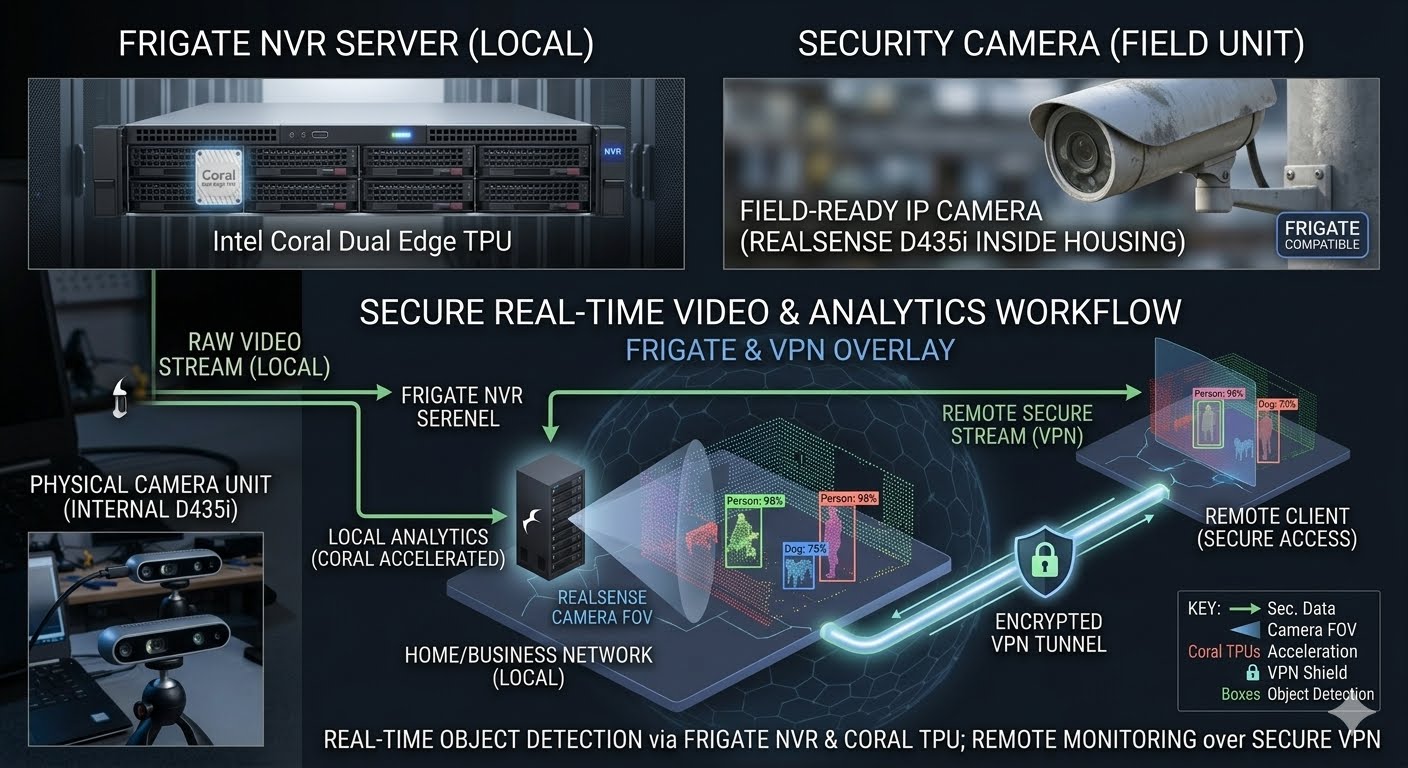
Connecting This To Frigate
This project links directly to the Home Automation, Cameras & Local Monitoring project.
Frigate can publish MQTT messages when camera events occur. In a lab setup, those event messages can become a practical bridge between vision systems and automation workflows.
Generalized workflow patterns:
- a camera event publishes to an MQTT topic
- a subscriber receives the event
- a dashboard updates status
- a local script logs the event
- an automation rule sends a notification
- a validation workflow compares vision events against other sensor data
Example conceptual topic:
lab/frigate/camera-01/events/personExample conceptual payload:
{
  "source": "frigate",
  "camera": "camera-01",
  "label": "person",
  "type": "new",
  "timestamp": "2026-05-24T11:30:00Z"
}
This keeps the workflow practical: MQTT is not just an abstract protocol, but a way to connect camera events, local monitoring, dashboards, and automation experiments.
Scope
The recurring theme is message design: how topics are named, how payloads are shaped, how QoS changes delivery behavior, and how event-producing systems can be connected to dashboards, scripts, and automation logic.